Editing In the Era of AI
A few years ago, you had to earn an image. You woke up at four in the morning, drove into the desert, waited for the light, and hoped you'd read the weather right.
That's still true. But now there's a shortcut.
Anyone with a laptop can generate a photograph that will make your jaw drop. It isn't real, but it's convincing enough that most people won't notice. And the truth is, a lot of people don't care.
Even the tools photographers use are leaning hard into AI. They make it easier than ever to change what was actually there. And the more we rely on them, the less truth there is left in the photograph.

Egrets in an Estuary at Sunset near Cabo.
I've been published in National Geographic, Vogue, and Sports Illustrated Swim. My work has hung in the Denver Museum of Art and sold at Christie's auctions. Those clients came to me for one reason: the images were real.
Not pushed toward a trend. Not over-enhanced. Not composited into something they weren't.
My workflow is built on that. Reality first. Editing second.
Smooth Tonal Transitions
I look for smooth tonal transitions in both skin and landscape. Highlights should roll into midtones, and midtones into shadows without breaking apart.
But not every image should be soft. Some frames want to be harsh. Some want to be silhouettes. The mistake is forcing an image into something it wasn't.
Adding contrast to a flat image looks artificial. Trying to "fix" a silhouette defeats the point. The photograph already tells you what it wants to be.

Color Is Memory
Color isn't about technical accuracy. It's about memory. How it looked. How it felt.
The goal is that someone standing next to me would recognize the moment. Not because it's neutral, but because it's honest to the light that was there.

Skin Has to Look Like Skin
Skin needs to look like skin. The moment you over-smooth it, the image stops feeling real. Texture matters. Small wrinkles matter. Variation matters.
I remove distractions. I refine. But I don't erase the surface of a person. That's where authenticity disappears.
Filters Don't Work. Workflows Do.
Filters don't hold up. They barely work on the images they were built on, and they fall apart everywhere else.
What actually works is a process. A sequence of small decisions based on what the image already is. That's what I've built over my career, and it's what I use on every frame.

You can play with tones, contrast, etc… But minimal changes end up feeling huge.
Grain Isn't Nostalgia
A lot of what people call a film look is just reduced quality. That's backwards.
A well-shot medium format negative from a Hasselblad or Mamiya holds more information than most digital files. Film isn't low quality. It's different.sd
Grain isn't there to fake film. It's there to break up digital precision. To keep the image from feeling sterile.
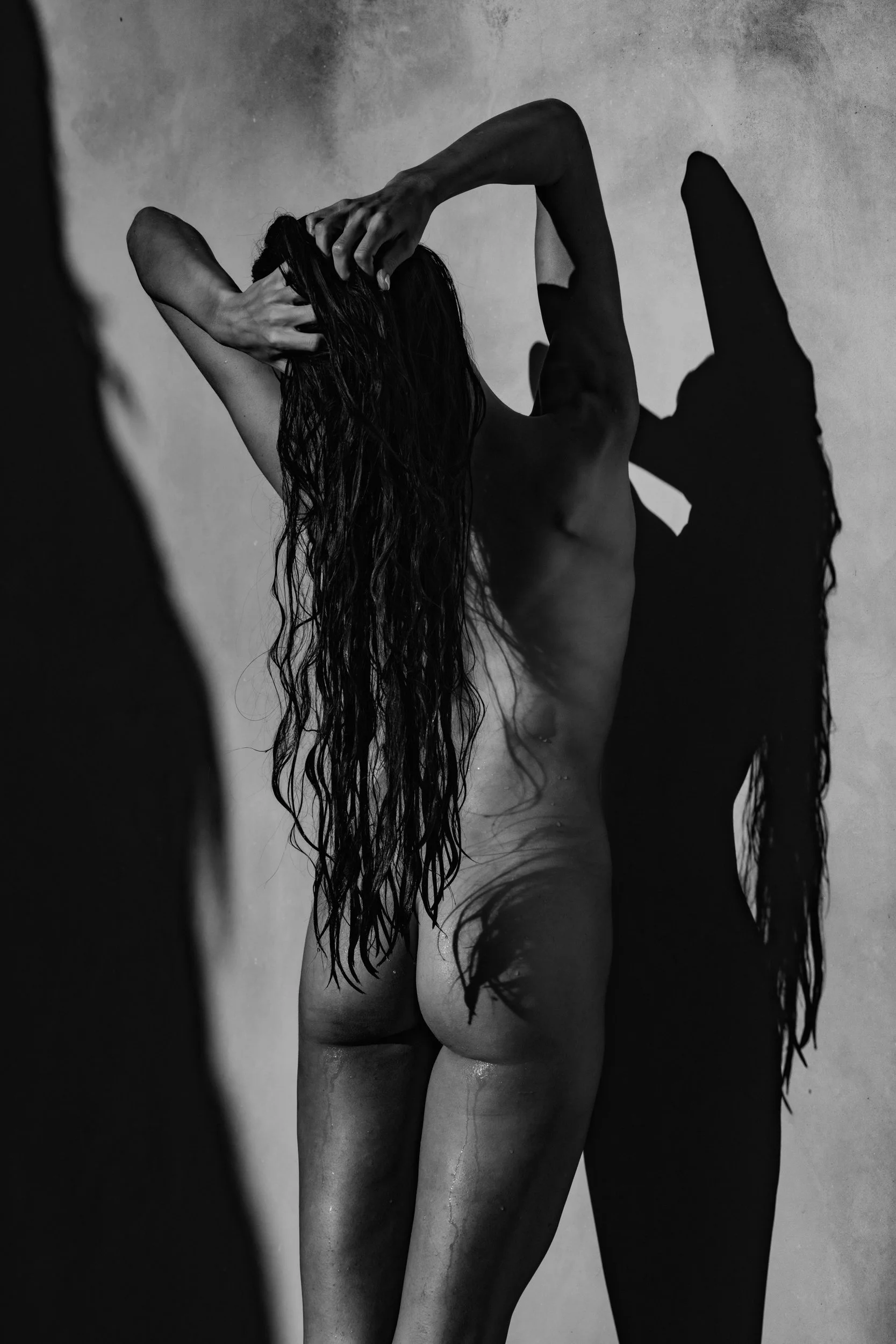
Proper use of grain doesn’t stand out, it blends the image together.
Who this is For
This approach isn't for everyone. If you prefer heavy grading or stylized edits, it won't appeal to you. If you're chasing attention in a feed, it won't help you.
But if you care about what was actually there, like I do…. Then this is for you.
In a world where anything can be generated, the photograph that looks real becomes the valuable one. And knowing when to stop is the whole craft.
-I've distilled this into a six-stage Lightroom workflow.
Thirty-two presets applied in sequence. A complete workflow guide PDF that walks through each stage. The exact system I use on every frame, from National Geographic assignments to Sports Illustrated campaigns to luxury resort work.
It's $29. Instant download. Mac and PC.